
Feedback
Everything you need, nothing you don't
Explain what version control is and why every software team relies on it | |
Set up Git on your machine with your name, email, and preferred settings | |
Turn any folder into a tracked project and start recording its history | |
Understand the three places your files live in Git - your working directory, the staging area, and the repository - and move changes between them with confidence | |
Choose exactly which changes to include in a snapshot and which to leave out | |
Browse your project's full history and inspect any past version in detail | |
Throw away edits you don't want before they're saved | |
Pull a file back out of the staging area without losing your changes | |
Reverse a change that's already been saved, without rewriting history | |
Set aside unfinished work, switch to something else, and come back to it later |
Explain what version control is and why every software team relies on it | |
Set up Git on your machine with your name, email, and preferred settings | |
Turn any folder into a tracked project and start recording its history | |
Understand the three places your files live in Git - your working directory, the staging area, and the repository - and move changes between them with confidence | |
Choose exactly which changes to include in a snapshot and which to leave out | |
Browse your project's full history and inspect any past version in detail | |
Throw away edits you don't want before they're saved | |
Pull a file back out of the staging area without losing your changes | |
Reverse a change that's already been saved, without rewriting history | |
Set aside unfinished work, switch to something else, and come back to it later | |
Work on multiple features or fixes at the same time using branches, without them interfering with each other | |
Combine work from different branches into one | |
Resolve situations where two people changed the same lines in the same file | |
Connect your local project to a server so your code is backed up and accessible from anywhere | |
Authenticate securely with a remote server without typing passwords | |
Upload your latest work so teammates can see it | |
Download and incorporate changes others have made | |
Understand the difference between just downloading what's new and actually applying it to your files | |
Get a full copy of someone else's project, with its entire history, onto your machine | |
Propose changes for review before they're merged, the way professional teams do it | |
Follow the standard daily workflow: branch off, make changes, share your branch, get feedback, merge | |
Write clear descriptions of what you changed and why, so reviewers and your future self can follow along | |
Reorganize your branch's history on top of the latest shared work for a cleaner, linear timeline | |
Know when reorganizing history is safe and when it would break things for your teammates | |
Keep your branch current with what everyone else has done, without creating unnecessary merge clutter | |
Prevent generated files, secrets, and editor junk from ever entering your repository | |
Write ignore rules using wildcards, folder patterns, and exceptions | |
Stop tracking a file that was committed by mistake, without deleting it from your computer | |
Mark important milestones in your project - like releases - so you can find and revisit them instantly | |
Understand the difference between a quick git bookmark and a fully documented version marker | |
Share your version markers with the rest of the team on the server | |
Create shortcuts for the commands you type most often | |
Trace any line of code back to the person and commit that last changed it | |
Fix a typo or include a forgotten file in your most recent snapshot without creating a new one | |
Keep your list of branches clean by removing the ones that have already been merged |
"Learn Git in a Day" is a comprehensive, practical guide that takes you from zero Git knowledge to confidently using it in a real workflow - in a single day.
Git is the most widely used version control system in the world. It's used by solo developers working on side projects, by teams of hundreds shipping production code, and by virtually every serious software company on the planet. If you want to work in tech - or already do - Git is not optional. It's the baseline.
And yet, most people learn it the wrong way. They pick up a handful of commands by copying and pasting from Stack Overflow or…
"Learn Git in a Day" is a comprehensive, practical guide that takes you from zero Git knowledge to confidently using it in a real workflow - in a single day.
Git is the most widely used version control system in the world. It's used by solo developers working on side projects, by teams of hundreds shipping production code, and by virtually every serious software company on the planet. If you want to work in tech - or already do - Git is not optional. It's the baseline.
And yet, most people learn it the wrong way. They pick up a handful of commands by copying and pasting from Stack Overflow or ChatGPT, never really understanding what's happening underneath. They get by until something goes wrong - a merge conflict, a detached HEAD, a history that looks nothing like it should - and then they panic, because they never built a real mental model of how Git works.
This guide is different. It's not a command reference. It's not a list of recipes to memorize. It's a structured walkthrough that builds your understanding from the ground up - starting with why Git exists, how it thinks about your files and history, and then moving into the workflows you'll actually use every day.
By the end, you won't just know the commands. You'll understand what they do, why they work the way they do, and how to think your way through situations you've never seen before.
It's written for people who have heard of Git, maybe even felt intimidated by it, but never sat down and properly learned it. Students, self-taught programmers, career switchers - anyone who wants to stop avoiding Git and start using it like they know what they're doing.
No prior experience with Git or version control is assumed. You don't need to know what a commit is, what a branch does, or why any of it matters yet. All of that will make sense by the end.
The only things you need: basic comfort with a terminal and a rough idea of what files and folders are. If you've ever written a small script in any language, you're ready to start.
 git
git  GitLab
  Ubuntu
Follow the winding road from start to finish

Aymen El Amri is a software and cloud-native engineer, trainer, author, and technopreneur with 15+ years of experience in building and scaling distributed systems, cloud architectures, and modern software.
He founded FAUN.dev(), one of the web's most active software engineering communities focused on SWE, cloud-native engineering, modern software delivery, AI/ML, and other related topics.
He's trained thousands of engineers on Python, AI, DevOps, SRE, Kubernetes, microservices, and cloud architectures, helping teams build reliable and scalable systems. His technical guides and courses are widely used by engineers and organizations looking to adopt modern software practices.
His work earned several honors, including a national open-source award. He also advises companies on shaping their cloud-native and platform engineering direction. TechBeacon listed him among the top 100 DevOps professionals to follow.
Find him on FAUN.dev(), LinkedIn, or X.
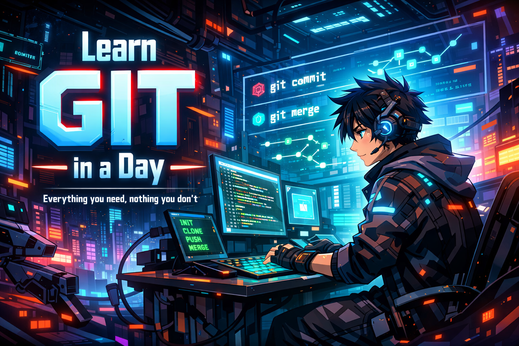
Everything you need, nothing you don't
Hurry! This limited time offer ends in:
To redeem this offer, copy the coupon code below and apply it at checkout:
If you have a coupon code, you can apply it at checkout in the next step.
Find more courses like this one

37 Modules 160 Sections

26 Modules 158 Sections

10 Modules 57 Sections
15 Modules 89 Sections
20 Modules 71 Sections
23 Modules 107 Sections