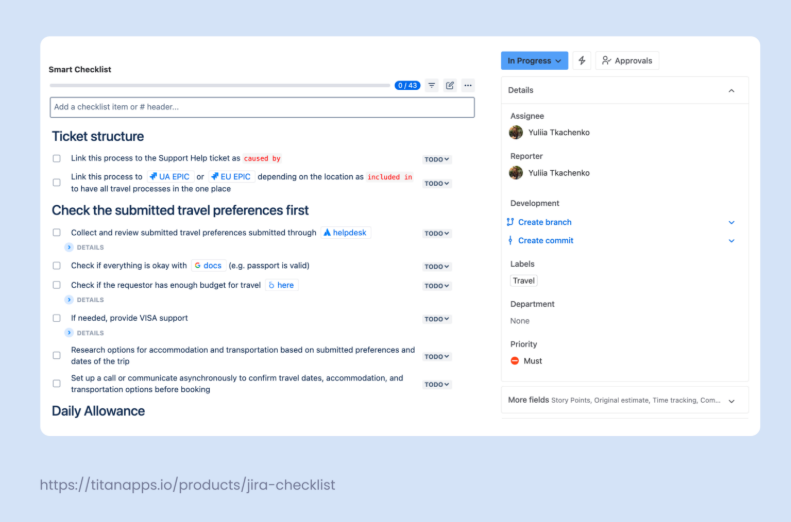
# Ticket structure
– Link this process to the Support Help ticket as `caused by`
– Link this process to [Travel Epic](https://jira.atlassian.com/) as `included in` to have all travel processes in one place
# Check the submitted travel preferences first
– Collect and review submitted travel preferences submitted through the [helpdesk](https://confluence.atlassian.com/servicedesk/)
> – Tickets land in Slack in #travel-help
> – It’s preferable to communicate and clarify all details in comments in the Help ticket so that someone else can continue the process if you can’t do this.
– Check if everything is okay with [docs](https://drive.google.com/drive) (e.g. passport is valid)
– Check if the request is within the budget [here](https://lookerstudio.google.com/)
> – Policy: Business Travel
> – Data range: This year
– If needed, provide visa support
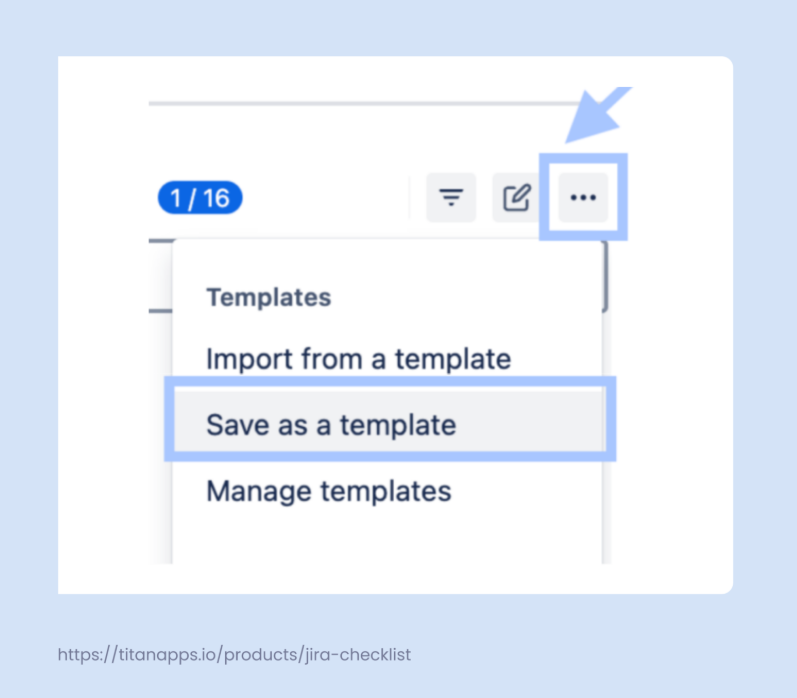
> Use **Support** Smart Checklist Template to proceed
– Research options for accommodation and transportation based on submitted preferences and dates of the trip
– Set up a call or communicate asynchronously to confirm travel dates, accommodation, and transportation options before booking
# Daily Allowance
– By referring to the [policy](https://confluence.atlassian.com/), calculate how much the daily allowance, taxi, and other expenses related to the business trip would cost
– Submit a [coverage ticket](https://jira.atlassian.com/)
# Price research
– Algorithm of the research in detail
>* Check on dedicated search sites
>* Re-check on aggregators
>* Check exact flights directly with the flight company
– Dedicated search sites
>* google.com/flght
>* kayak.com
>* http://skyscanner.com
– Aggregators
>* mytickets.ae
>* kiwi.com
>* orbitz.com
>* expedia.com
>* anywayanyday.com
– Search for the best ticket options that we already use
> * [LOT](https://www.lot.com/ua/en/)
> * [Wizzair](https://wizzair.com/#/)
> * [Ryanair](https://www.ryanair.com/us/en)
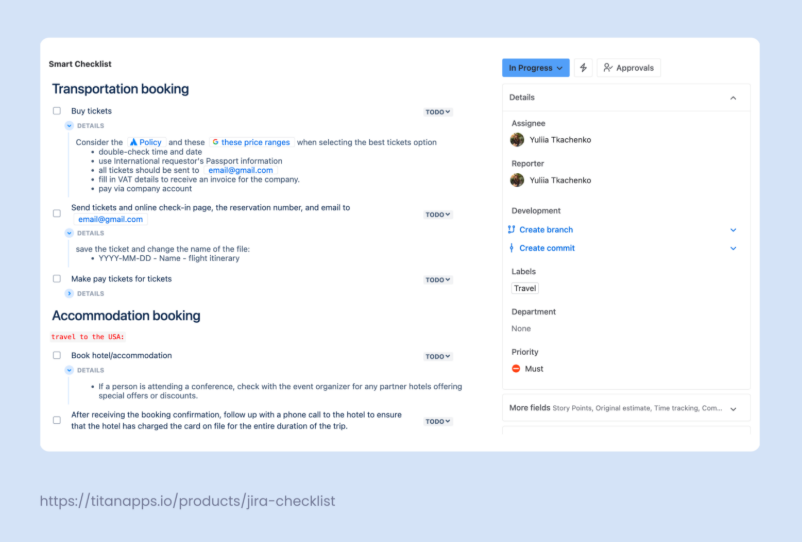
# Transportation booking
– Buy tickets
> Consider the [policy](https://confluence.atlassian.com/policy) and [these price ranges](https://docs.google.com/spreadsheets/) when selecting the best tickets option
> * Double-check time and date
> * Use the requestor’s international passport information
> * All tickets should be sent to email@company.com
> * Fill in VAT details to receive an invoice for the company.
> * Pay via company account
– Send tickets and online check-in page, the reservation number, and email to email@company.com
> Save the ticket and change the name of the file:
> – YYYY-MM-DD – Name – flight itinerary
– Make pay tickets for tickets
> Add step-by-step instructions
# Accommodation booking
`Travel to the USA:`
– Book hotel/accommodation
> – If a person is attending a conference, check with the event organizer for any partner hotels offering special offers or discounts.
– After receiving the booking confirmation, follow up with a phone call to the hotel to ensure that the hotel has charged the card on file for the entire duration of the trip.
`Travel to any other location:`
– Go to **Airbnb**
> * Login with our credentials
> * Choose English and USD currency
> * Choose the city, dates, and number of people
> * Open filters and select:
>> Entire place
>> Apartment
>> Instant book
>> Self check-in (preferable)
>> Free cancellation (preferable)
> * Choose an apartment within our budget and that follows our policy and align it with the submitted preferences
– Book the apartment
> * Check dates and number of people
> * Choose “Work trip”
> * Choose “Book this place for someone else”
> * Insert email address and press **Add**
> * if a requestor is not on the list, they must create an Airbnb account*
> * Press **Save**
> * Choose/indicate payment method and billing details if needed
> * Pay via company credit card; it’s indicated in the process description.
> * Check cancellation policy once again
> * Confirm and pay
– If Airbnb is not available, use Booking.com
– Instructions for **Booking.com**
> * Login with our credentials
> * Choose English and USD currency
> * Choose the hotel or apartment for the needed dates that fit the budget in the policy and align with the submitted preferences
> * Proceed to booking
> * Provide the requestor’s details to the booking
> * In the special request text block, ask about the invoice. Also, choose “I would like an invoice for my company at check-out.”
> * Pay via company credit card; it’s indicated in the process description
– Make pay tickets for lodging booking
– Insert pay tickets into the ticket’s description or in the comments
# City Tax
If the trip is to a European country, the hotel may charge a [City tax](https://visitukraine.today/blog/2616/which-countries-have-introduced-tourist-taxes-and-fees). It is paid at the hotel.
– Need to raise a Refund ticket
# Provide the requestor with all the needed info before arrival
– Share the travel itinerary with the requestor via email or Slack
– Send a link for a check-in, remind to check in in advance online
> Every Airline has a different link for check-in; find it on the airline website
– Provide lodging booking details and notify that the apartment is booked; they will communicate with the host on their own
– Share your personal number, and Telegram/WhatsApp for the requestor to contact you for any reason
# Upon Arrival
– Check if a person checked in to the hotel/apartment
– Check if no extra charges were applied
– Remind them of the check-out time and provide check-out guidelines
## For office visitors
– Show the office to them
> For office visitors – share the [guide](https://drive.google.com/drive)
– Provide them with the wi-fi access and make sure that it works properly
– Show the desk they can use
– Provide them with any [tech equipment if needed](https://confluence.atlassian.com/servicedesk/)
– On the 1st day, take the requestor for lunch and/or dinner, and/or organize a group of team members to go for lunch or dinner together
– Suggest places to visit and see while in the city
>* See [this guide](https://drive.google.com/drive) to get local tips on what places to visit, where to eat, and other important stuff
# Before Departure
– Remind about the departure date and time
– Collect an access card
– Advise to arrive at the airport at least 2 hours before departure time
# Feedback
– Ask to provide inputs and feedback at this [link](https://docs.google.com/forms)