For anyone starting a career in quality assurance, understanding the fundamentals of software testing is essential. Among the most common and often confusing concepts for beginners is the difference between verification vs validation. Although these terms are frequently used together, they serve different purposes in the software testing lifecycle. Knowing how and when to apply verification and validation helps QA professionals ensure that software is both built correctly and meets user expectations.
This guide explains verification vs validation in a simple, beginner-friendly way, with clear definitions, examples, and practical context.
What Is Verification in Software Testing?
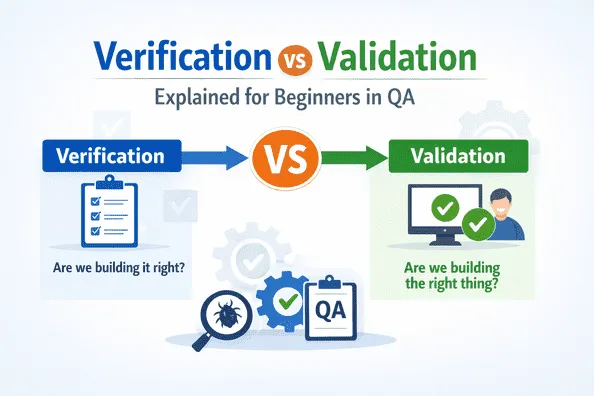
Verification is the process of evaluating software artifacts to ensure they meet specified requirements and design expectations. It answers the question:
“Are we building the product right?”
Verification focuses on checking whether the software is being developed according to predefined specifications, standards, and documentation. It does not involve executing the code. Instead, it relies on reviews and analysis performed early in the development lifecycle.
Common Verification Activities
- Requirement reviews
- Design reviews
- Code reviews
- Walkthroughs and inspections
- Static code analysis
- Unit test case reviews
Verification is considered a static testing activity because it examines documents and code without running the application.
What Is Validation in Software Testing?
Validation is the process of evaluating the actual software to ensure it meets user needs and business requirements. It answers the question:
“Are we building the right product?”
Unlike verification, validation involves executing the software and observing its behavior. It focuses on confirming that the system works as expected in real-world scenarios.
Common Validation Activities
- Functional testing
- System testing
- Integration testing
- User acceptance testing (UAT)
- Regression testing
- Performance and usability testing
Validation is known as dynamic testing because it involves running the application and validating outputs against expected results.
Verification vs Validation: Key Differences
Understanding verification vs validation becomes easier when comparing them side by side:
- Verification checks compliance with specifications, while validation checks compliance with user expectations.
- Verification happens before execution, validation happens after execution.
- Verification focuses on preventing defects, validation focuses on detecting defects.
- Verification ensures the product is built correctly, validation ensures the correct product is built.
Both processes are equally important and work together to ensure overall software quality.
Why Verification vs Validation Matters in QA
For beginners in QA, understanding verification vs validation is important because it shapes how testing activities are planned and executed. Relying only on validation can lead to late defect detection, increasing cost and rework. On the other hand, focusing only on verification may result in a technically correct product that fails to meet user needs.
When applied together:
- Verification reduces errors early in development
- Validation confirms real-world usability and correctness
- Overall testing efficiency improves
- Software quality becomes more predictable and reliable
This balanced approach is a core principle of effective quality assurance.
Verification vs Validation in the Software Development Lifecycle
Both verification and validation are applied at different stages of the software development lifecycle.
Early Stages
During requirement and design phases, verification plays a major role. QA teams review documents to ensure clarity, completeness, and testability. Catching issues at this stage prevents misunderstandings later.
Development Stage
Verification continues through code reviews and static analysis. Developers and QA teams ensure that implementation aligns with design standards and coding guidelines.
Testing and Release Stages
Validation becomes the primary focus once the software is executable. QA teams perform functional and non-functional testing to validate system behavior against requirements and user expectations.
This structured application ensures continuous quality checks throughout development.
Simple Example for Beginners
Consider an online login feature:
- Verification example:
Reviewing the requirement document to ensure login rules (username length, password complexity, error messages) are clearly defined and correctly implemented in design. - Validation example:
Executing the login feature by entering valid and invalid credentials to check whether the system behaves as expected.
This example highlights how verification vs validation complement each other in practice.
Common Misconceptions About Verification vs Validation
Beginners often confuse these concepts due to overlapping responsibilities. Some common misconceptions include:
- Thinking verification replaces validation
- Assuming validation is only done at the end
- Believing verification is only the developer’s responsibility
- Treating both terms as interchangeable
In reality, verification and validation are shared responsibilities across QA, development, and business teams.
Role of Verification vs Validation in Modern QA Practices
In Agile and DevOps environments, verification vs validation are integrated into continuous workflows. Automated code checks, static analysis, and peer reviews support verification, while automated functional and regression tests support validation.
Even with automation, the underlying principles remain the same. Verification ensures changes are implemented correctly, while validation ensures those changes deliver value to users.
Best Practices for Beginners in QA
For QA beginners, applying verification vs validation effectively requires discipline and consistency:
- Participate in requirement and design reviews early
- Ensure test cases align with user requirements
- Balance document reviews with hands-on testing
- Communicate gaps found during both verification and validation
- Treat both processes as equally important
Following these practices builds a strong foundation for a successful QA career.
Conclusion
Verification vs validation are fundamental concepts every QA beginner must understand. Verification focuses on ensuring the software is built according to specifications, while validation ensures it meets user needs and performs as expected. Together, they form a complete quality assurance approach that prevents defects early and detects issues before release. By mastering verification and validation, QA professionals can contribute more effectively to building reliable, user-centric software from the very beginning of their careers.