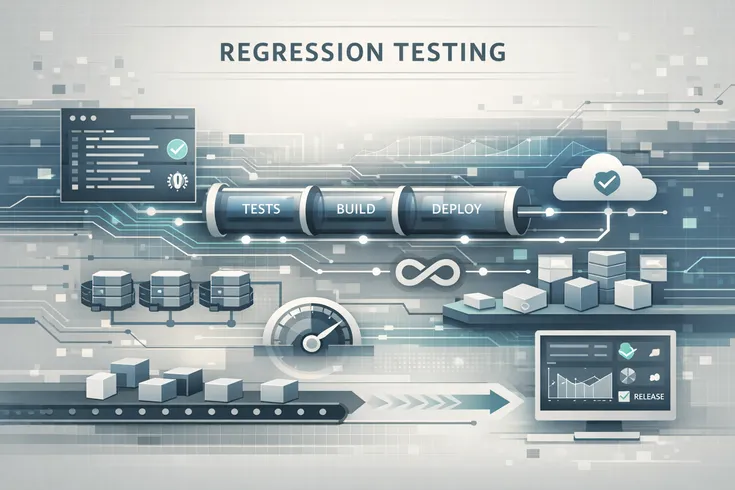
Building automated regression testing from scratch feels overwhelming. Where to start? What tools to choose? How to avoid common mistakes? How long will it actually take?
This walkthrough takes a team from zero automated regression testing to a working system catching real bugs in production. It is based on implementing automated regression testing across multiple projects and documenting what actually works.
The approach is phased, practical, and designed to deliver value at each stage instead of requiring months of setup before seeing any benefit.
Prerequisites and Starting Point
Before starting automated regression testing, the team should have:
- A codebase that is actively being developed (changes happen at least weekly)
- At least one person who understands the system deeply
- A way to run the application (local environment, staging server, or similar)
- Some form of version control (Git or equivalent)
- Willingness to invest 4-6 weeks initially
You do not need:
- A perfect codebase (legacy code is fine)
- Existing testing infrastructure (you are building it)
- A team of testing specialists (developers can do this)
- Unlimited budget (open-source tools work well)
- Perfect documentation (you will document as you go)
Phase 1: Planning and Assessment (Week 1)
Before building anything, understand what you are protecting.
Step 1: Identify What Breaks Most
Look back at the past 3-6 months of production issues and bugs. Which areas caused the most incidents?
Create a list:
- User authentication (3 incidents)
- Payment processing (2 incidents)
- Data export functionality (1 incident)
- Email notifications (2 incidents)
- Search functionality (1 incident)
These are your regression testing targets. Do not try to test everything. Test the 30% that causes 70% of problems.
Step 2: Define Critical User Workflows
A workflow is a sequence of steps a user takes to accomplish something.
Examples:
- User signs up, verifies email, updates profile
- User searches for a product, adds to cart, checks out
- Admin creates a campaign, configures rules, publishes
- API call receives request, processes data, returns response
Document 3-5 critical workflows. These are what automated regression testing will protect.
Step 3: Assess Current Testing
Understand the current state:
- What manual testing happens before releases?
- How long does it take?
- What bugs slip through despite manual testing?
- Which code paths are highest risk?
- What does QA currently do?
This assessment informs what automated regression testing should cover.
Step 4: Choose Your Testing Approach
Two main approaches for automated regression testing:
Approach 1: Prediction-Based Testing Developers write test cases based on what they think should happen. Tests define expected behavior. Good for new code, requires manual maintenance. Tools: Jest, Selenium, Cypress, Robot Framework.
Approach 2: Recording-Based Testing System records actual behavior (requests, responses, interactions). Tests validate against what the system actually does. Good for legacy code, low maintenance. Tools: Keploy and similar recording-based tools.
For starting from scratch in an existing system, recording-based testing is often easier because you capture actual behavior instead of predicting it.
Step 5: Select Regression Testing Tools
Different tools serve different purposes:
- API testing: Keploy, Postman, or similar
- UI testing: Cypress, Selenium
- Business logic: Jest, PyTest, or similar
- Keyword-driven: Robot Framework
For a complete walkthrough, this guide focuses on API-level automated regression testing because it covers the most critical functionality and is easiest to implement.
Phase 2: Infrastructure Setup (Week 1-2)
Step 1: Choose Your Testing Environment
You need a stable environment to test against:
- Development environment: Changes constantly, not suitable
- Staging environment: Mirrors production, stable, best choice
- Production: Too risky for initial testing
- Local environment: Works for simple systems
Use staging if available. If no staging exists, create a minimal one or use production-like local setup.
Step 2: Set Up Version Control for Tests
Tests are code. They need version control:
/project-root /src (application code) /tests (test code) /regression /workflows /api-tests /unit /integration
Store tests in the same repository as application code.
Step 3: Set Up Local Testing Capability
Developers should be able to run tests locally:
Run all regression tests locally: npm run test:regression
Run specific workflow tests: npm run test:regression -- workflows/user-signup
Run tests and generate report: npm run test:regression -- --report
Local testing capability is critical. If tests only run in CI, developers do not use them.
Step 4: Set Up a CI/CD Integration Point
Identify where in your CI/CD pipeline tests will run:
Code Push → Unit Tests (1 min) → Integration Tests (3 min) → Regression Tests (5 min) → Build → Deploy
Regression tests should run early enough to block bad code before deployment but after quick unit tests to fail fast.
Step 5: Choose Metrics to Track
Establish baseline metrics before starting:
- Current bug escape rate (bugs reaching production per month)
- Manual testing time per release
- Release frequency
- Production incidents per month
- Average time to detect bugs in production
These baselines prove the value of automated regression testing.
Phase 3: First Test Implementation (Week 2-3)
Step 1: Document One Critical Workflow
Take the highest-impact workflow from Phase 1. Document it step-by-step:
Workflow: User Registration and Email Verification
- User fills out signup form with email and password
- System validates input format
- System creates user account in database
- System sends verification email
- User clicks verification link in email
- System marks account as verified
- User can now log in
Each step has inputs, expected outputs, and potential failure points.
Step 2: Set Up Recording or Test Definition
If using recording-based approach:
- Run the workflow once in the staging environment
- System records all API calls, responses, and interactions
- Recording captures the baseline behavior
If using prediction-based approach:
- Write test cases manually based on the workflow
- Define expected inputs and outputs
- Create assertions to validate behavior
For simplicity, recording-based approach is shown here:
Start Recording → Execute workflow in staging → Stop Recording Result: Baseline of all interactions that should happen
Step 3: Create Your First Test Suite
A test suite is a collection of related test cases:
Test Suite: User Registration Test Case 1: Valid email and password Input: email=user@example.com, password=secure123 Expected: Account created, verification email sent
Test Case 2: Invalid email format Input: email=notanemail, password=secure123 Expected: Validation error, account not created
Test Case 3: Duplicate email Input: email=existing@example.com, password=secure123 Expected: Error message, account not created
Start with 5-10 test cases for the first workflow.
Step 4: Run Tests Against Current Code
Execute your first test suite:
npm run test:regression -- workflows/user-registration
Results: ✓ Test 1: Valid email and password (PASS) ✓ Test 2: Invalid email format (PASS) ✓ Test 3: Duplicate email (PASS) ✓ Test 4: Password too short (PASS) ✓ Test 5: Email with special characters (PASS)
All tests passed. Baseline established.
Establish the baseline. All tests should pass because you are testing current behavior.
Step 5: Make a Code Change and Verify Tests Catch It
Intentionally break something to verify tests work:
Original code: if (email.includes('@')) { ... } Modified code: if (email === 'admin@example.com') { ... } // broken
Run tests:
npm run test:regression -- workflows/user-registration
Results: ✓ Test 1: Valid email and password (PASS) ✗ Test 2: Invalid email format (FAIL) ← Test caught the bug! ✗ Test 3: Duplicate email (FAIL) ← Test caught the bug!
Tests should fail. This proves they actually catch problems. Then revert the change.
Step 6: Document Results
Document what you learned:
- Which test cases caught the problem?
- How long did it take to run tests?
- Were there any false positives?
- What issues did you encounter?
- How much manual testing would this have replaced?
This documentation justifies the investment.
Phase 4: Expansion and CI/CD Integration (Week 3-4)
Step 1: Add More Workflows
Once the first workflow works, add the next critical workflow:
- Workflow 2: Checkout and payment processing
- Workflow 3: Data export functionality
- Workflow 4: Admin configuration
For each workflow, repeat Phase 3. You are building momentum with working automated regression testing.
Step 2: Integrate Into CI/CD Pipeline
Add tests to your CI/CD configuration:
For GitHub Actions:
name: Tests on: [push, pull_request] jobs: regression-tests: runs-on: ubuntu-latest steps: - uses: actions/checkout@v2 - name: Set up environment run: npm install - name: Run regression tests run: npm run test:regression - name: Report results run: npm run test:regression -- --report
For Jenkins, GitLab CI, or other platforms, configure similarly.
Step 3: Set Up Notifications
Configure the team to get test results:
- Slack notification when tests fail
- Email summary of test results
- Dashboard showing test status
- Links to detailed reports
Make results visible so failures do not go unnoticed.
Step 4: Establish Review Process
When regression tests fail:
- Developer sees the failure
- Developer examines what changed
- Developer determines if it is a real regression or test needs updating
- Team has process for handling false positives
Document the process:
If test fails:
- Check if it is a real regression
- If real: Fix the code
- If false positive: Update test and document why
- Re-run tests
- Merge only when tests pass
Step 5: Measure Impact
Track metrics from Phase 2:
- Bug escape rate: Decreasing?
- Manual testing time: Decreasing?
- Confidence in releases: Increasing?
- Regression-related incidents: Decreasing?
After 4 weeks, the impact should be visible. Document it.
Phase 5: Scaling and Optimization (Week 4-6)
Step 1: Identify Next High-Value Areas
Continue the prioritization from Phase 1:
- Workflows 1-2: Implemented and working
- Workflow 3: Next highest priority
- Workflow 4: After that
- Core API endpoints: Lower priority
Expand systematically, not randomly.
Step 2: Handle Test Maintenance
As tests grow, maintenance becomes important:
Common maintenance issues:
- Test data gets stale: Refresh test data regularly
- Comparison logic needs tuning: Some fields change legitimately
- False positives: Adjust what constitutes a regression
- Flaky tests: Tests that pass sometimes, fail sometimes
Set aside 10-15% of team time for test maintenance.
Step 3: Optimize Test Execution Speed
As test count grows, speed matters:
Current state: Run all regression tests: 5 minutes
Optimization approaches:
- Run critical tests on every commit (2 minutes)
- Run full suite in CI/CD (5 minutes)
- Run full suite nightly (5 minutes)
- Parallelize tests where possible
Keep developer feedback fast (tests running in minutes, not hours).
Step 4: Establish Automated Regression Testing as Standard
Automated regression testing should become how the team works:
- Developers run tests before pushing
- Tests block code from merging if they fail
- Team discusses and owns test results
- Tests are updated as code evolves
- New features include regression tests
This becomes the normal development workflow, not a special initiative.
Step 5: Expand Tool Usage
As confidence grows, expand testing approach:
- Phase 3-4: One type of workflow tested (example: API)
- Phase 5: Multiple workflow types tested
- Add unit testing, integration testing in specific areas
- Use multiple regression testing tools for different purposes
Different regression testing tools serve different needs. Start with one approach, expand strategically.
Common Mistakes to Avoid
Mistake 1: Too Ambitious Scope
Starting with 100 test cases instead of 5. Results in:
- Long setup time before any value
- Overwhelming test maintenance burden
- Team loses interest before seeing results
Fix: Start with 5-10 critical test cases. Expand gradually.
Mistake 2: Testing Too Late in Workflow
Waiting for manual testing before running automated tests. Problem:
- Bugs reach later stages before caught
- More expensive to fix
- Automated testing value is lost
Fix: Run automated regression testing immediately after code push.
Mistake 3: Ignoring False Positives
Letting invalid test failures accumulate. Problem:
- Team stops trusting results
- Stop running tests
- Tool becomes useless
Fix: Address false positives immediately. Tune comparison logic. Update invalid tests.
Mistake 4: No Local Testing
Tests only run in CI/CD, not locally. Problem:
- Developers do not see failures until after push
- Slower feedback cycle
- Less developer engagement
Fix: Make tests easy to run locally. Show developers results immediately.
Mistake 5: Inadequate Documentation
Not documenting what tests do or why they exist. Problem:
- Maintenance becomes mystery work
- New team members confused
- Tests seem arbitrary
Fix: Document each test suite. Explain what workflow it protects. Explain why it matters.
Tools to Consider for Implementation
For API-Level Automated Regression Testing
Recording-based tools: Keploy: Records real API traffic and replays as tests. Benefit: Captures actual behavior, low maintenance.
Manual definition tools: Postman: GUI-based API testing. Benefit: Easy to learn, good for simple APIs.
For Business Logic Testing
- Jest (JavaScript)
- PyTest (Python)
- JUnit (Java)
Benefits: Fast, integrated with development workflows, good for unit and integration testing.
For UI Testing
- Cypress: Modern, developer-friendly
- Selenium: Mature, cross-browser
Trade-off: Cypress is faster but newer. Selenium is slower but more established.
Timeline and Expectations
Week 1
- Planning and assessment (5-10 hours)
- Infrastructure setup (5-10 hours)
- First test case creation (3-5 hours)
- Total: 15-25 hours
Deliverable: One working test suite with 5-10 test cases
Week 2-3
- Expand to 3-4 workflows (15-20 hours)
- CI/CD integration (5-8 hours)
- Tuning and documentation (5-10 hours)
- Total: 25-38 hours
Deliverable: Automated regression testing running in CI/CD pipeline
Week 4-6
- Optimize and scale (10-15 hours per week)
- Expand test coverage (10-15 hours per week)
- Team training and adoption (5-10 hours)
- Total: 25-40 hours
Deliverable: Automated regression testing integrated into development workflow
Total investment: 65-103 hours to establish a working automated regression testing system.
For a team of 3-5 developers, this is roughly 2-3 weeks of one person's time, or spread across the team.
Success Criteria
Automated regression testing is working when:
- Developers run tests before pushing code
- Tests run in under 5 minutes
- False positive rate is below 10%
- At least one real bug is caught per week
- Team trusts the results
- New features include regression tests
- Manual testing time decreases by 30%+
- Confidence in releases increases
These do not happen overnight. Expect gradual improvement over 4-6 weeks.
Moving Forward From Here
After establishing basic automated regression testing:
- Expand coverage: Add more workflows and scenarios
- Improve speed: Parallelize tests, optimize execution
- Reduce maintenance: Tune comparison logic, establish standards
- Enhance tooling: Consider additional regression testing tools for different purposes
- Measure continuously: Track impact on quality and velocity
Automated regression testing is not a destination. It is a practice that evolves as the team grows and the system becomes more complex.
Conclusion
Building automated regression testing from scratch is achievable in 4-6 weeks. The key is starting small, delivering value quickly, and expanding systematically.
Start with one critical workflow. Implement it completely. Show results. Expand to the next workflow. Build momentum.
Automated regression testing does not require perfect code, unlimited budget, or specialized expertise. It requires:
- Clear understanding of what to protect
- Systematic approach to implementation
- Commitment to maintenance
- Patience for gradual improvement
Teams that start with these fundamentals and expand methodically build automated regression testing systems that catch bugs, reduce stress, and enable faster shipping.
Begin with the first workflow this week. By next week, you will have working automated regression testing. By next month, it will be part of how your team develops.