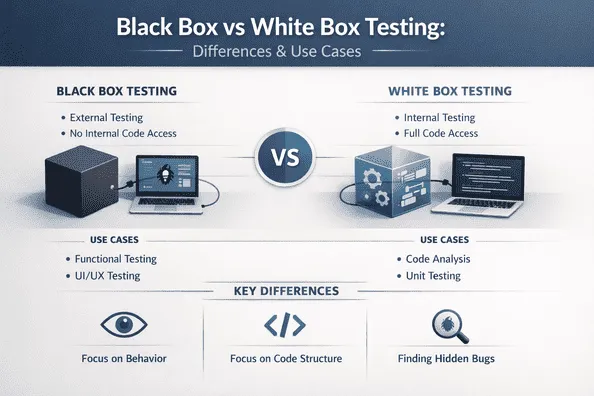
Testing is the backbone of software quality — but not all testing is created equal. When teams debate black box vs white box testing, the conversation often stays surface-level: "black box = no code access, white box = code access." That's true, but it barely scratches the surface.
The real question is: where does each approach belong across your testing pyramid? Unit tests, integration tests, and end-to-end (E2E) tests each serve a different purpose — and knowing which testing methodology fits where can mean the difference between a bulletproof test suite and one full of gaps.
Let's break it down.
What Is Black Box Testing?
Black box testing is a software testing technique where the tester evaluates the functionality of an application without any knowledge of its internal code structure. The system is treated as a — you guessed it — black box. Input goes in, output comes out, and the tester validates whether that output matches expected behavior.
Key characteristics:
- No knowledge of internal logic or implementation details
- Focus on functional requirements and user behavior
- Tests are written from an end-user perspective
- Covers techniques like equivalence partitioning, boundary value analysis, and decision table testing
Black box testing is closely associated with functional testing, acceptance testing, and behavioral testing.
What Is White Box Testing?
White box testing (also called clear box testing, glass box testing, or structural testing) involves testing with full visibility into the internal workings of the application. Testers write test cases based on the code's logic, branches, loops, and conditions.
Key characteristics:
- Full access to source code and architecture
- Focus on code coverage — statement, branch, and path coverage
- Tests are written by developers or engineers with coding knowledge
- Covers techniques like control flow testing, data flow testing, and code coverage analysis
White box testing is closely associated with unit testing, static code analysis, and security testing.
The Testing Pyramid: A Quick Refresher
Before mapping each approach, it helps to revisit the test automation pyramid:
- Unit Tests — Test individual functions or components in isolation (base of the pyramid, fast, numerous)
- Integration Tests — Test how multiple components interact with each other
- End-to-End (E2E) Tests — Simulate real user workflows across the entire application stack
Each layer has different goals, different scopes, and — critically — different ideal testing approaches.
Black Box vs White Box Testing in Unit Testing
Unit testing is the natural home of white box testing.
Since unit tests target individual functions, methods, or classes, testers need deep knowledge of internal logic to write meaningful tests. You're testing branches, loops, return values, and edge cases — all of which require looking at the code.
For example, if you have a function that calculates a discount based on customer tier, white box unit testing would:
- Test every conditional branch (Gold, Silver, Bronze tier logic)
- Verify boundary values at each tier threshold
- Ensure 100% code path coverage using tools like Istanbul (JavaScript) or Coverage.py (Python)
Can black box unit testing exist? Technically yes — you can test a function purely by input/output without reading its code. But this is rare and usually less thorough. At the unit level, the white box approach wins decisively because the whole point is to validate internal correctness.
Winner at unit level: White Box Testing
Black Box vs White Box Testing in Integration Testing
Integration testing is where the two approaches genuinely intersect — and where grey box testing often emerges.
Integration tests verify that multiple modules, services, or APIs work correctly together. At this level, testers may or may not have full visibility into each component's code.
White box integration testing looks at how data flows between components, verifies internal API contracts, and validates database interactions at the query level. It's useful when you control the entire stack.
Black box integration testing validates that a combination of components produces the correct output without worrying about how each piece works internally. This is especially relevant in API testing — you send a request to an endpoint and assert on the response, without caring about what happens inside the service.
This is why tools like Keploy shine at this layer. Keploy captures real API traffic and auto-generates test cases and mocks, enabling teams to run black box-style integration tests without manually writing assertions against internal logic. The focus is on: does the system behave correctly as a whole?
Winner at integration level: Both — choose based on ownership and context
Black Box vs White Box Testing in End-to-End Testing
E2E testing is the domain of black box testing.
End-to-end tests simulate real user journeys — logging in, placing an order, submitting a form. At this level, neither testers nor automation scripts care about internal implementation. What matters is that the user-facing system works as expected.
E2E testing tools like Cypress, Playwright, and Selenium are built entirely around the black box philosophy. They interact with the UI or API surface exactly as a real user would.
White box techniques at the E2E level would be impractical — you'd be introducing too much implementation coupling, making tests brittle and expensive to maintain.
Winner at E2E level: Black Box Testing
Side-by-Side Comparison: Black Box vs White Box Testing
Criteria Black Box Testing White Box Testing Knowledge required No internal code knowledge Full code access required Best suited for E2E, acceptance, API testing Unit, static, security testing Who performs it QA engineers, end users Developers, SDETs Primary focus Functional correctness Code coverage, logic paths Techniques Equivalence partitioning, BVA Branch coverage, data flow Tools Postman, Keploy, Selenium, Playwright JUnit, Jest, Istanbul, SonarQube Maintenance Lower coupling, easier to maintain Higher coupling, refactor-sensitive
When to Use Each Approach
Use white box testing when you:
- Are writing unit tests for business logic
- Need to achieve specific code coverage targets
- Are performing security testing or vulnerability analysis
- Want to verify internal data transformations
Use black box testing when you:
- Are writing E2E or acceptance tests
- Are testing third-party APIs or services you don't own
- Want tests that survive internal refactoring
- Are simulating real user behavior or API consumer expectations
The Grey Box Middle Ground
Most mature engineering teams don't pick sides — they adopt grey box testing, which combines elements of both. A grey box tester has partial knowledge of the system internals — enough to write smarter test cases, but still focused on external behavior.
API testing is the perfect grey box use case: you know the schema and expected behavior (white box awareness), but you test via requests and responses (black box execution).
Final Thoughts
The black box vs white box testing debate isn't about which is better — it's about knowing where each belongs.
- White box dominates at the unit level, where internal logic matters most.
- Both approaches have a role at the integration level, depending on what you're testing.
- Black box owns the E2E level, where user experience is king.
The best test strategies use all three levels deliberately, applying the right testing technique at each layer. When combined with modern tools that automate test generation — like Keploy for API and integration testing — teams can build coverage that's both thorough and maintainable.
Testing isn't black or white. The best pipelines know how to use both.